Client Experience 7 min read

How to Reduce No-Shows and Last-Minute Cancellations in Your Service Business

A practical confirmation system for protecting crew time, tightening the schedule, and reducing lost revenue from missed visits.

GB
Green Boss Editorial

Green Boss Team

How to Reduce No-Shows and Last-Minute Cancellations in Your Service Business
In this article

No-shows are usually a workflow problem, not just a client problem. When a client misses an appointment, the business does not only lose one invoice: the schedule gets weaker, the crew loses productive time, the office starts chasing messages, and the rest of the route has to absorb the damage.

This article gives you a practical no-show reduction system your office and field team can actually use.

Core idea The goal is not to send more messages. The goal is to make the next action obvious for the client and visible for the team.

The real cost of a missed visit

Most owners think about no-shows as lost revenue. That is true, but incomplete.

A missed visit also creates operational drag. The crew still has payroll time on the clock. The route now has dead space. The office has to follow up manually. Other clients may get delayed because the day was planned around a visit that did not happen.

Wasted crew hours

Payroll keeps moving even when the crew cannot complete the work.

Weaker route density

A missed stop creates dead space in a route that was supposed to be productive.

Slower cash collection

No visit means no completed service, no invoice, and no payment event.

Lower client trust

When the day gets messy, communication with other clients often gets weaker too.

The fix starts by treating no-shows as a scheduling system problem.

The confirmation system every appointment needs

Booking a job is not the same thing as confirming that the client is ready. Every appointment should move through a simple confirmation status:

  1. Booked
  2. Confirmation sent
  3. Confirmed
  4. Needs follow-up
  5. Rescheduled or canceled

That status should be visible before the route is finalized. If the office cannot see which appointments are confirmed, the crew is driving into uncertainty.

A strong confirmation message should include:

  • Service date and arrival window.
  • Service address.
  • Job or service summary.
  • Preparation instructions.
  • One-tap confirmation.
  • Reschedule option.

Reminder timing that works in the field

Reminder timing should match the type of service and the level of commitment. A good baseline for field service businesses is:

  1. First reminder: 3 to 7 days before the appointment.
  2. Main confirmation: 24 hours before the visit.
  3. Final logistics reminder: 2 hours before arrival.

For residential work, SMS usually performs better because clients see it quickly. For commercial jobs, send email and SMS when possible because the office contact and on-site contact may be different people.

Keep the message short. Clients need time, address, service details, and next action. They do not need a long email.

Make rescheduling easier than disappearing

Many no-shows happen because rescheduling feels harder than ignoring the appointment. If the client needs to move the visit, your workflow should capture that before the crew is already on the road.

A professional rescheduling flow should:

  • Give the client a simple way to request a new time.
  • Explain the cancellation or reschedule window clearly.
  • Notify the office immediately.
  • Keep the original appointment visible until the new time is confirmed.
  • Track the reason for the change.

This turns a lost visit into a controlled schedule change.

What to track every week

You cannot improve what the team never measures. Track no-shows as an operating metric, not as random frustration.

  • No-show rate by service type.
  • No-show rate by client.
  • Confirmation rate by reminder channel.
  • Reschedule rate by weekday or route.
  • Revenue lost from missed visits.
  • Crew hours affected by no-shows.

After two or three weeks, patterns usually become obvious. One service may need clearer preparation instructions. One route may need tighter time windows. One client segment may need an extra confirmation step.

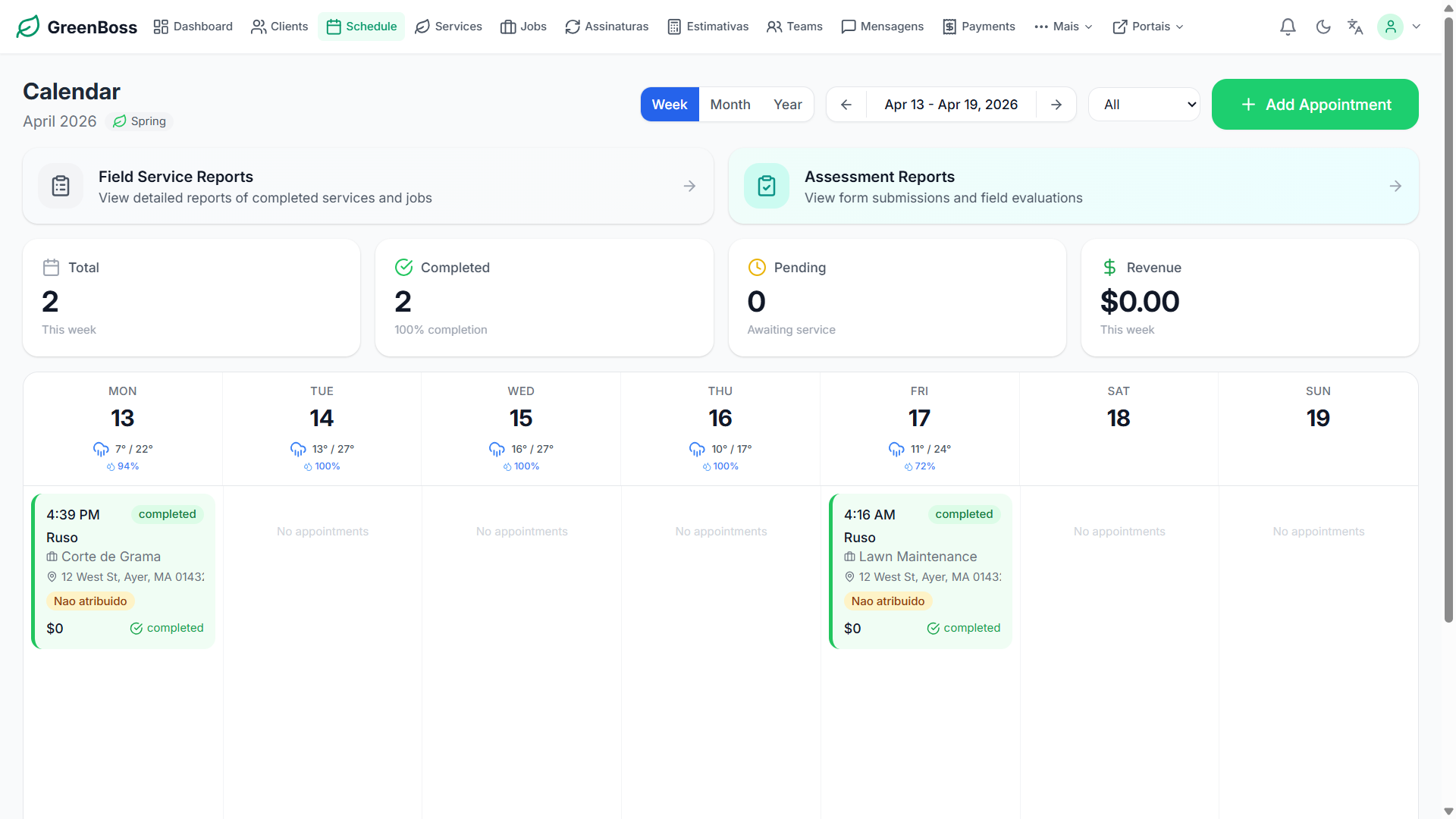
GreenBoss confirmation and client follow-up workflow using real scheduling and messaging screens
Use GreenBoss to keep confirmations, reminders, reschedules, and client follow-up connected to the same appointment workflow.
Start freeSee features

The weekly operating rhythm

The no-show system only works if it becomes part of the weekly routine.

  1. Every appointment gets an automatic confirmation.
  2. Every unconfirmed appointment gets reviewed before dispatch.
  3. Every reschedule request gets handled before the crew leaves.
  4. Every no-show gets logged with a reason.
  5. Every week, the owner or manager reviews the pattern.

This is how a service business moves from reacting to missed appointments to controlling the schedule before the day breaks down.

Conclusion

No-shows will never disappear completely, but they should not control the business.

A clear confirmation system protects crew time, makes the office more proactive, and helps the company run with less chaos. The more visible the workflow becomes, the easier it is to prevent missed visits before they cost the business money.

#no-show-prevention #scheduling #productivity #reminders

Share this playbook

Send it to the team member who handles scheduling or client follow-up.

Frequently Asked Questions

Will automated reminders annoy clients?

Most clients appreciate them when the messages are short, timely, and specific to the appointment they booked.

What if a client still does not confirm?

Use a simple fallback rule such as a manual call 24 hours before the visit for any unconfirmed appointment.

Does this only help residential services?

No. The same confirmation workflow works for cleaning, landscaping, maintenance, and other scheduled service teams.

Put the playbook into your operation

Green Boss helps service companies turn these workflows into scheduling, crew management, billing, and client communication systems.

Related Articles

More field service playbooks from Green Boss.

Client Experience

How to Create a Professional Client Experience in Landscaping

Beautiful work matters, but the client experiences much more than turf, stone, or planting beds. They remember whether the estimate was clear, whether the crew respected the property, whether questions were answered, and whether the invoice matched the agreement.

Client Experience

How Automated Reminders Reduce No-Shows and Cancellations

Clients forget appointments for ordinary reasons: work gets busy, a spouse booked the visit, access instructions were never clarified, or the appointment was made weeks ago. Reminders work because they give customers a moment to confirm or change plans before labor is committed.